

Finding the Perfect Event
Search for a specific event or, if you’re browsing to see what events might fit your interests, use our filtering tools to see shows by location, application or booth fee cost, deadline, and more.
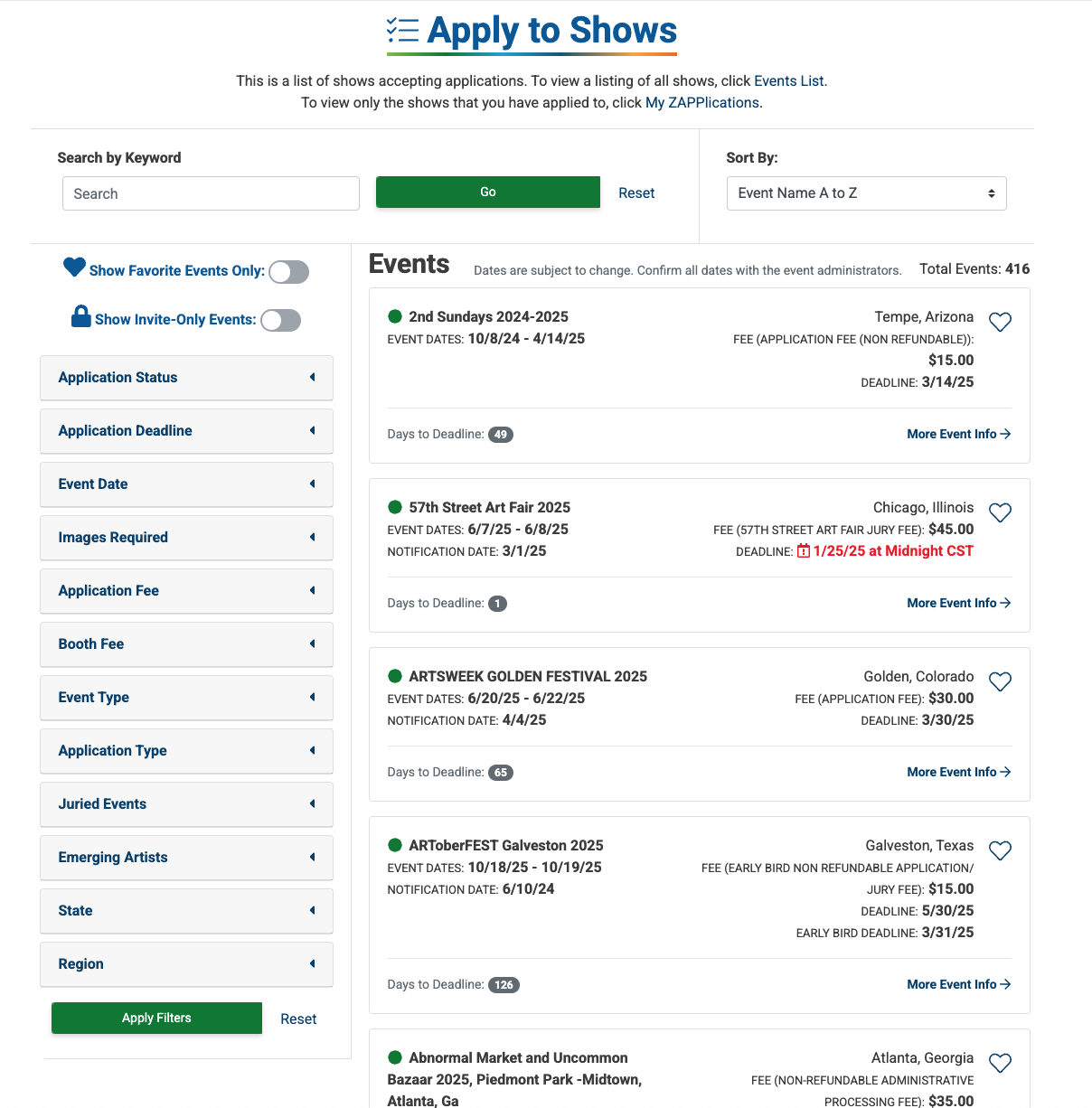
Searching, Sorting, and Filtering Events: Search Options
Click the arrow next to each definition to learn more about the search options.
Application Status
Choose to view all events by selecting Open & Closed or only those accepting applications by selecting Open Only.
Application Deadline
Select a date range to view application deadlines during that time frame.
Event Dates
Select a date range to view events occurring in that time frame.
Images Required
Select a range of images required on the application. Events that require the number of images within that range will display.
Application Fee
Select a price range. Events with application fees within that range will display.
Booth Fee
Select a price range. Events with booth fees within that range will display.
Event Type
Select indoor, outdoor, virtual, or unspecified. More than one event type can be selected at once.
Application Type
ZAPP offers three application types: Artist, Vendor, or Both. Select the application type that best suits you and your work.
Juried Events
Some events on ZAPP select their participants through a scored jury. If you would like to solely apply to juried events, select Yes. If you would like to only apply to non-juried events, select No.
Emerging Artists
Select Accepts Emerging Artists to find events that accept applications from emerging artists, and select Has Emerging Artists Program or Grant to find events with programs specifically geared toward emerging artists. Note: Eligibility as an emerging artist may vary for each event. Check the event details page for more info.
State
Select the state(s) in which you’re looking for an event. Note: You can filter events by state or by region, but not by both.
Region
Select the region in which you’re looking for an event. Note: You can filter events by state or by region, but not by both.
Searching, Sorting, and Filtering: Sorting Options
Sort by Event Name
Sorts the list alphabetically (A - Z) or in reverse alphabetical order (Z - A).
Sort by Event Start
Earliest to Latest will sort the list with the soonest events appearing at the top. Latest to Earliest will sort the list with the events farthest in the future appearing at the top.
Sort by Application Deadline
Earliest to Latest will sort the list with the soonest application deadline appearing at the top. Latest to Earliest will sort the list with the latest application deadline appearing at the top.
Sort by Early Bird Deadline
Earliest to Latest will sort the list with the soonest deadline appearing at the top. Latest to Earliest will sort the list with the latest deadline appearing at the top.
Sort by Application Fees
Low to High will sort the list by an event’s application fee, with the cheapest application fees appearing near the top. High to Low will sort the list by an event’s application fee, with the most expensive fee appearing near the top.
