

Specifications for Artwork Images
Minimum Image Requirements
Dimensions: 1400 pixels on the longest side
File Format: .jpeg, .jpg, .tiff, .png
File Size: Under 5 MB
Recommended Image Requirements
Dimensions: 1920 pixels on the longest side.
File Format: .jpeg, .jpg, .tiff, .png
File Size: Under 5 MB
Resolution: 72 ppi – 300 ppi
Color space: sRGB
⚡ TIP: Some applications do not collect artwork images. If the application you are completing does not require images, you do not need to upload images to ZAPP.
Understanding Terminology
What are pixels?
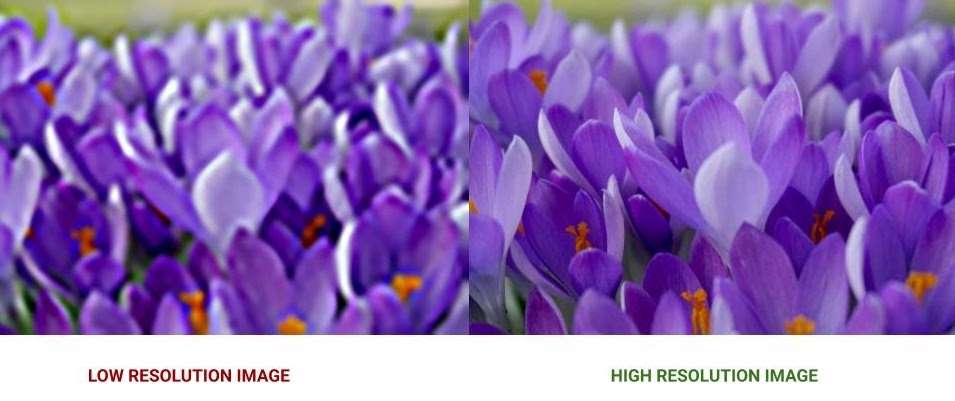
Pixels are the smallest elements combined to make up an image that also determine the photo’s resolution. The more pixels in the image file, the higher the resolution.
What is image resolution?
Resolution refers to two things. The first is the number of pixels that are combined to make up your image. The second is how the number of pixels are distributed. This is usually expressed as “dots per inch” or “pixels per inch” — dpi or ppi. When uploading your images to ZAPP, a resolution of 72 ppi is adequate for viewing your images on a computer monitor; however, if a show intends to use your image(s) to print for show materials, they will typically want resolutions set to 300 ppi. Similar to pixels, the higher the ppi, the higher the resolution.
What is Alternative Text?
Alternative text, or alt text, is a brief written explanation of an image’s content. It allows screen readers to provide an audio description of the image for users who are blind or visually impaired. Providing clear and meaningful descriptions helps create a more inclusive and welcoming online environment.
Helpful Resources
Image Description Tool: Quickly generate a description for your image.
Alt Text Best Practices – Harvard: Learn how to write clear and helpful alt text, with examples.
Reducing File Sizes
If your image is larger than 5 MB, it will be too large to upload to ZAPP. Don’t worry — reducing the size of your photo is simple. The process is slightly different depending on your computer.
Enlarging Images and Adding Black Borders
When you enlarge images in Photoshop, Preview, or any other photo editing software, to meet the minimum requirements for ZAPP, you will likely see a reduction in the image quality. Adding black borders to make your images larger is the best way to meet ZAPP image requirements without compromising the quality of your images.
