

Payment Options
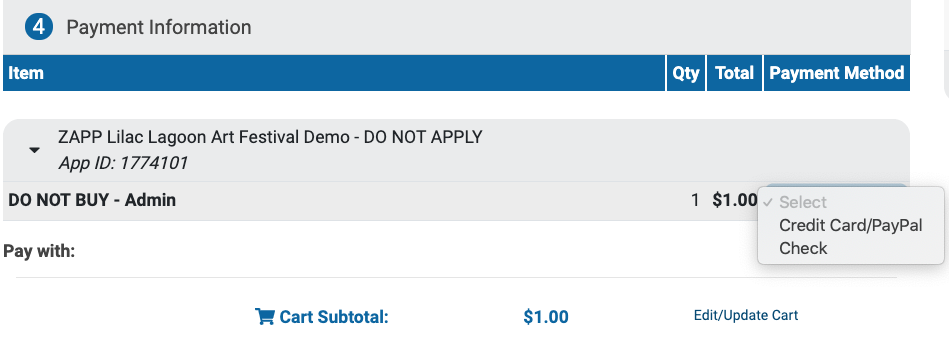
Select how you want to pay for a product by clicking on the drop-down menu.
Credit Card/PayPal 💳 : Choose this option to pay using your credit or debit card or your PayPal account.
Check 📫: Choose this option to mail a check to the event. The address to send the check to will be listed on the receipt.
⚡ TIP: Events decide what payment types they will accept, and not all events will accept checks or credit card payments.
Paying with a Saved Payment Method
If you have a credit card or PayPal account saved for quicker checkout, those will appear first in the checkout section. Select one of those methods to complete checkout, or click Choose Another Way to Pay to use a different card.
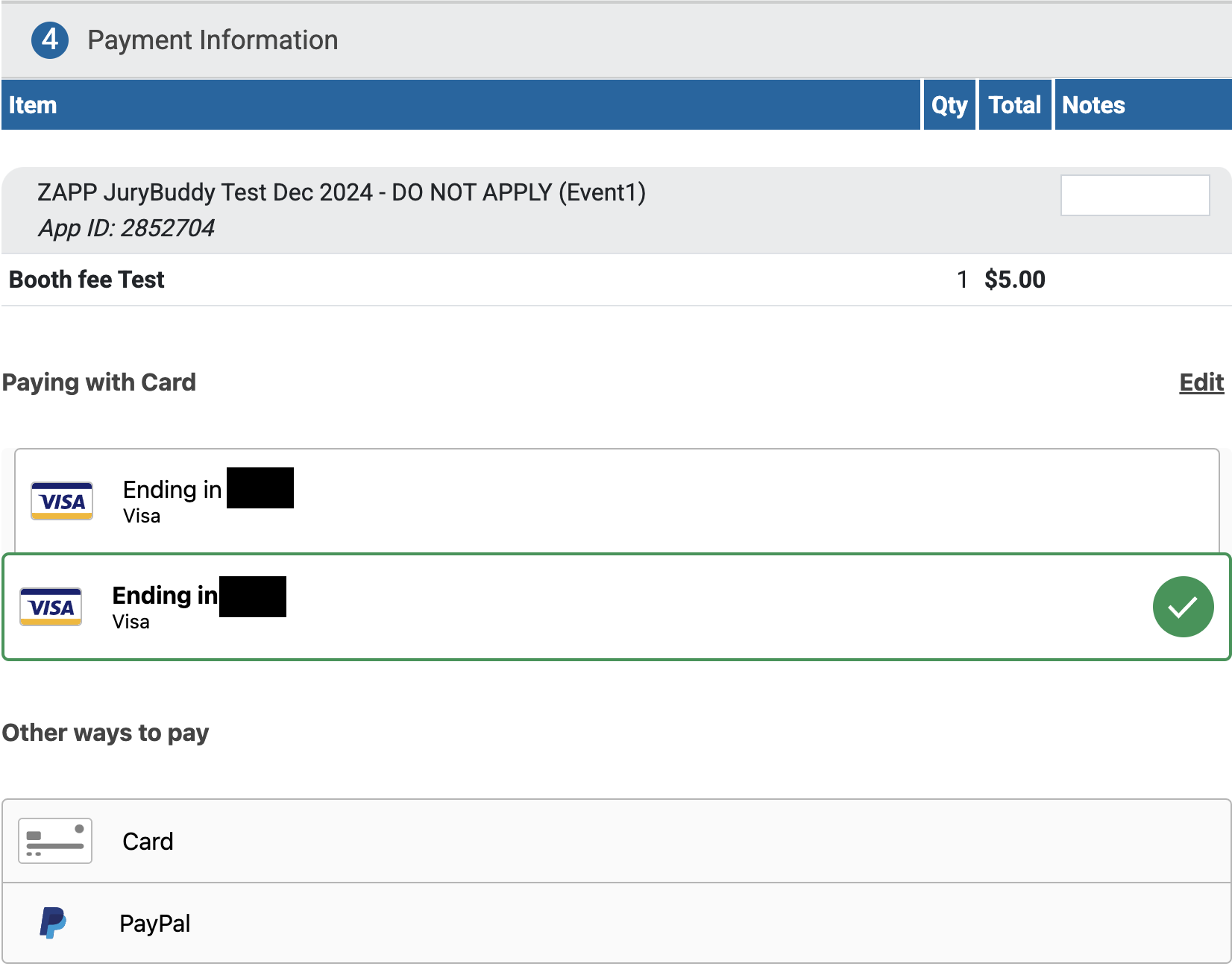
⚡ TIP: Learn more about saving or deleting payment methods in your Profile.
Paying with a New Payment Method
Click Card to enter your credit card details.
Click PayPal to open a new window and log in to your PayPal account to complete the transaction.
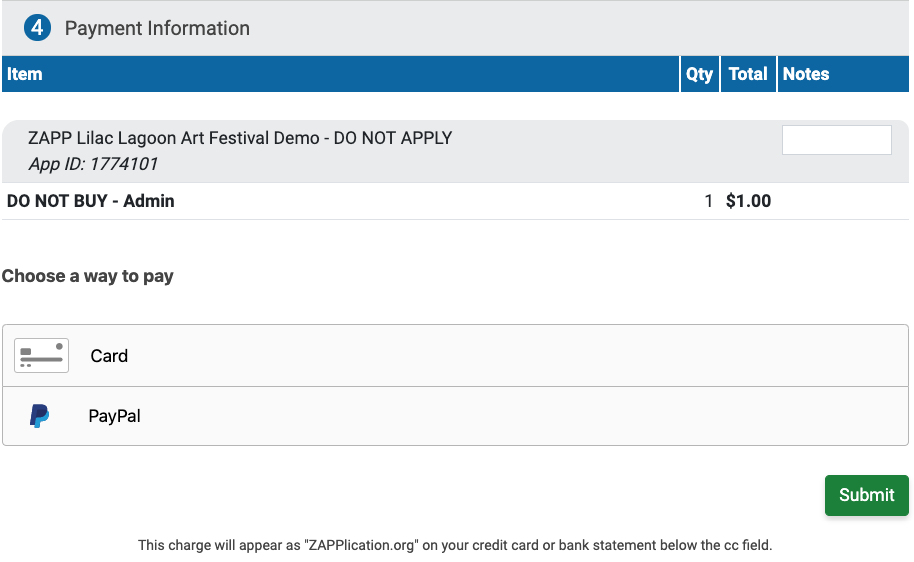
Click Submit to process your payment and see your receipt. A copy of the receipt will also be emailed to the email address listed in your ZAPP account.
