

ZAPP Artist Help Center

ZAPP Artist Help Center

The Checkout Process

Step 2: Update Quantities

In Step 2 of checkout, update the quantity of items in your ZAPP cart or remove products entirely. Be sure to follow event instructions for booth options.

Last updated on 23 Feb, 2026

Remove products from your cart by clicking the red ❌ icon or use the the quantity dropdown to change the number of products you are purchasing. Click Next Step to move to Step 3.
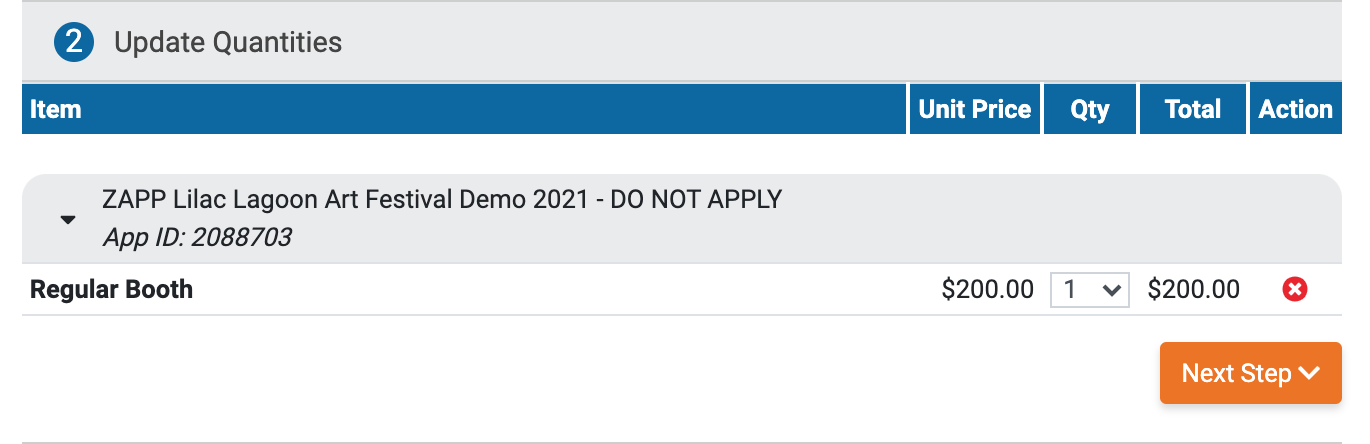
Shopping cart page with item for ZAPP Lilac Lagoon Art Festival, priced at $200 with options to adjust quantity or proceed.

⚡ TIP: Many events sell double booth spaces separately — only purchase multiple booth products if instructed by the administrator.

Did you find this guide helpful?
Previous

Step 3: Add Coupons

Next

Powered by Creative West

InstantDocs Logo