

Review Payment History
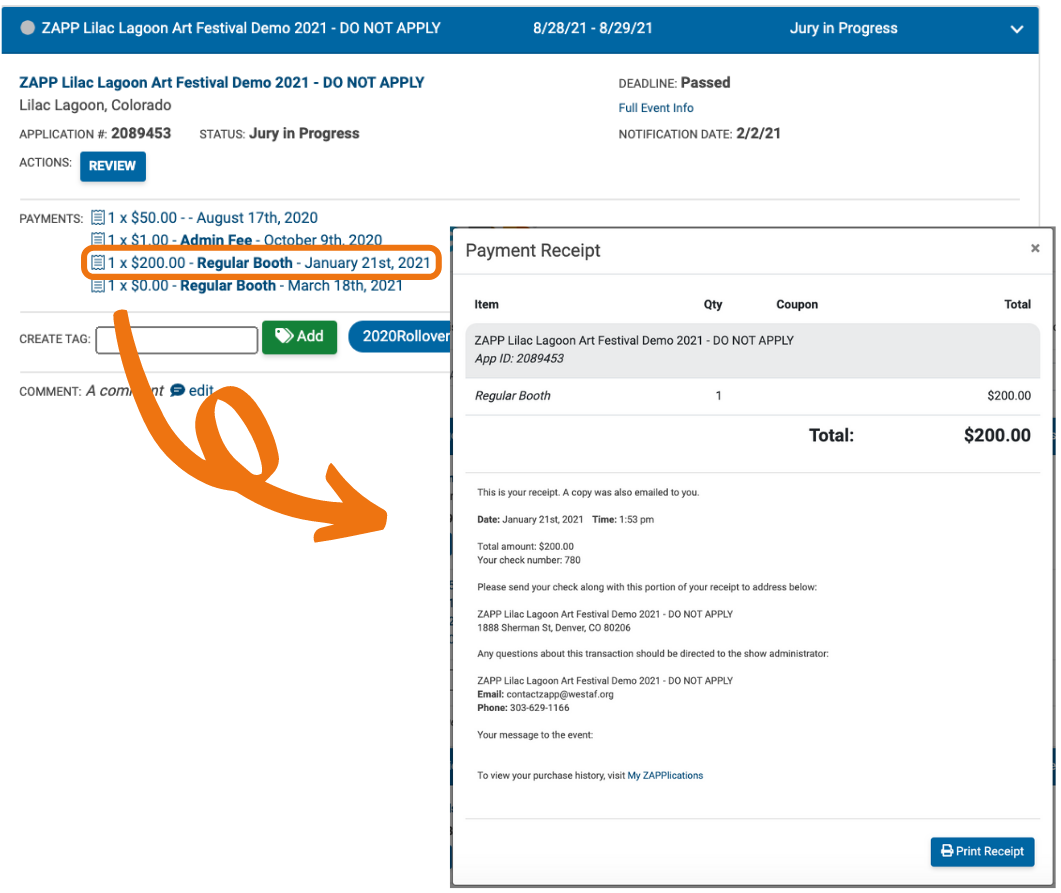
A receipt is emailed to you after every purchase made on ZAPP. You can also find details for all payments on the My ZAPPlications page. Your receipt includes the purchase total, application ID associated with the purchase, and the event's contact information.
Find and Download Receipts
To review the receipt for a purchase, find the application it is associated with and click on the payment. Click the Print Receipt to print your receipt or save it as a PDF.
⚡ TIP: If you are paying by check, your receipt will include the event's mailing address.
Download Payment History
To download a report of your transactions over a period of time, go to your Profile and scroll down to Download Transaction History. Select the dates you would like to download a report for, and click Download. The report will automatically download directly on your device.
